A Practical Look at Cryptocurrency Wallet Use and Safety
A cryptocurrency wallet is a digital tool that helps users access, receive, send and manage blockchain-based assets. It does not store cryptocurrency in the same way that a physical wallet stores cash. Instead, it manages the private keys or account credentials required to control assets recorded on a blockchain.
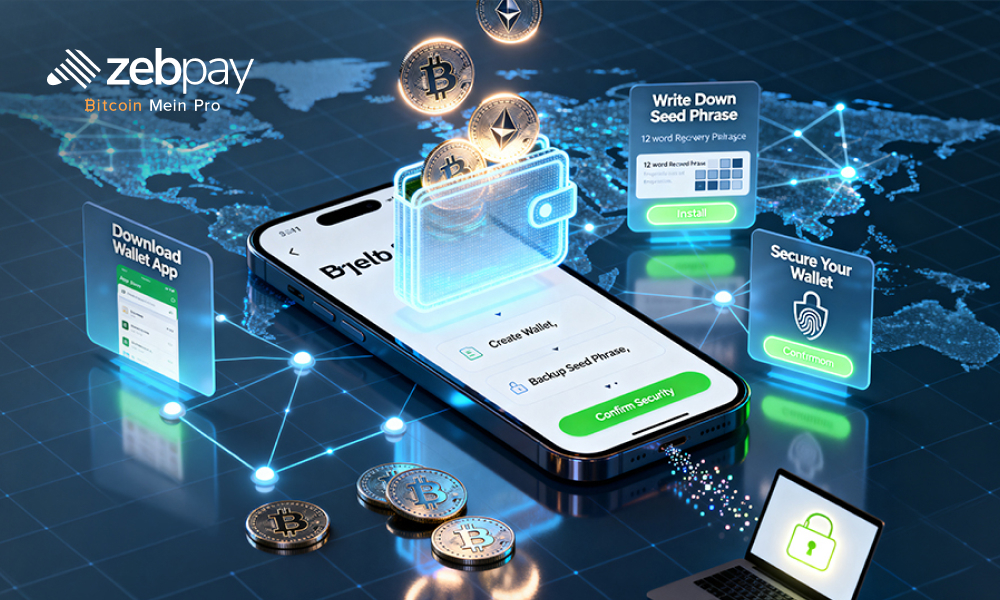
Wallets are available in several formats, including mobile applications, desktop software, browser extensions, hardware devices and exchange-based accounts. Each option offers a different balance of convenience, security and user responsibility.
Before choosing a wallet, users should consider how often they plan to transfer assets, which blockchain networks they need and whether they are prepared to manage a recovery phrase independently. A wallet may provide easy access, but an incorrect transaction, exposed private key or lost backup can result in permanent loss.
Users who plan to invest crypto should first understand how wallet ownership, transaction approval and asset recovery work.
The Basic Role of a Cryptocurrency Wallet
A cryptocurrency wallet connects users to blockchain networks. It allows them to view balances, generate receiving addresses and approve outgoing transactions.
Every wallet generally uses two important elements.
Public Address
A public address acts as a destination for receiving digital assets. It can usually be shared with another user or trading platform.
The address may appear as a long combination of letters and numbers or as a QR code. Users should verify that the address belongs to the correct blockchain network before using it.
Private Key
A private key provides control over the assets associated with the wallet. It should never be shared with another person.
Anyone who obtains the private key may be able to transfer the funds. This is why private-key protection is central to wallet security.
Many wallets do not show the private key directly. Instead, they provide a recovery phrase that can recreate the wallet on another device.
The Difference Between Custodial and Non-Custodial Wallets
Wallet ownership is largely determined by who controls the private keys.
Custodial Wallets
A custodial wallet is managed by a third-party service, such as a cryptocurrency exchange.
The provider controls the private keys and allows the user to access funds through an account login. Password recovery, customer support and identity verification may be available.
This model can be easier for beginners, but the user depends on the provider to protect funds and process withdrawals.
Account restrictions, platform failures or service interruptions may temporarily affect access.
Non-Custodial Wallets
A non-custodial wallet gives the user control over the private keys or recovery phrase.
This approach provides direct ownership, but the user is fully responsible for security and recovery.
If the recovery phrase is lost and the device becomes unavailable, the wallet provider may not be able to restore access.
The choice between custodial and non-custodial storage depends on the user’s experience, security preferences and willingness to manage sensitive information.
Mobile Wallets for Everyday Transactions
Mobile wallets are applications installed on smartphones. They are commonly used for routine transfers, token swaps and access to decentralised applications.
Their main advantage is convenience. Users can check balances or approve transactions without using a separate computer.
However, mobile wallets are exposed to risks connected with internet access, device theft and malicious applications.
Users should protect a mobile wallet by:
- Setting a strong device passcode
- Enabling biometric access
- Keeping the operating system updated
- Downloading applications from official sources
- Avoiding unknown links
- Reviewing application permissions
- Storing the recovery phrase offline
A mobile wallet may be suitable for smaller balances or regular transactions, but users should carefully consider whether it is appropriate for long-term storage.
Desktop and Browser-Based Wallets
Desktop wallets are installed on a computer, while browser wallets usually operate as extensions.
Desktop wallets may provide a larger interface and clearer transaction details. They can suit users who manage several assets or prefer working from a computer.
Browser wallets are often used to connect with decentralised exchanges, blockchain games and other decentralised applications.
These wallet types depend heavily on device and browser security. Malware may monitor activity, alter copied wallet addresses or capture passwords.
Users should avoid installing unnecessary browser extensions. They should also check every transaction request before approving it.
A wallet connection should not be treated as harmless. Some websites may request permission to access or transfer tokens.
Hardware Wallets and Offline Key Storage
A hardware wallet is a physical device designed to keep private keys away from direct internet access.
The device signs transactions separately from the connected phone or computer. The private key generally remains within the hardware device.
This type of wallet may suit users who hold digital assets for a longer period and do not need frequent access.
Hardware wallets still involve important responsibilities. Users must protect the recovery phrase and verify transaction details on the device screen.
The device should be purchased from an official or trusted source. A modified or previously configured device may create security concerns.
Physical damage or loss does not necessarily mean the assets are lost, provided the recovery phrase has been stored securely.
Recovery Phrases and Backup Responsibility
A recovery phrase is usually a sequence of words created when a non-custodial wallet is set up.
It can restore access to the wallet if the original device is lost, damaged or replaced.
The recovery phrase should be written down accurately and stored offline. Users should avoid saving it in:
- Email accounts
- Cloud storage
- Messaging applications
- Screenshots
- Online notes
- Shared documents
A person who obtains the recovery phrase may be able to access the wallet from another device.
No legitimate wallet support representative should ask for the complete recovery phrase.
Users should also confirm that the backup was recorded correctly. Some wallet applications include a verification step during setup.
Supported Networks Require Close Attention
A cryptocurrency wallet may support one network, several networks or a wide range of blockchain systems.
Users should confirm that the wallet supports the exact asset and network they intend to use.
For example, a token may exist on more than one blockchain. The name may appear identical, but the network and address format may differ.
Before making a transfer, users should verify:
- The cryptocurrency name
- The blockchain network
- The token standard
- The receiving address
- Any required destination tag
- The minimum transaction amount
- The estimated fee
Sending funds through an unsupported network may result in permanent loss or require a difficult recovery process.
A small test transfer can help confirm that all details are correct.
Understanding Wallet Transaction Fees
Wallet transactions usually involve blockchain network fees. These payments are made to miners or validators who process transactions.
The fee can change depending on network demand. During busy periods, users may need to pay more for faster confirmation.
Some wallets allow users to choose between different fee levels. A lower fee may take longer to process, while a higher fee may improve confirmation speed.
Wallets may also offer built-in purchase or swap services. These features can involve additional costs, including:
- Service fees
- Conversion charges
- Liquidity provider costs
- Price spread
- Third-party payment charges
- Network fees
Users should review the total amount received rather than looking only at one fee.
Wallet Connections and Token Permissions
Many cryptocurrency wallets can connect to decentralised applications.
A connected application may request permission to view the wallet address, approve a transaction or access a specific token.
Users should read each request carefully before confirming it.
Some token approvals provide access only for one transaction. Others may allow a smart contract to use a larger amount or continue accessing the token later.
Disconnecting a wallet from a website does not always cancel previous permissions.
Users should review and remove unused token approvals periodically.
Unknown websites, unexpected transaction requests and unclear smart-contract permissions should be avoided.
Common Cryptocurrency Wallet Risks
Wallet risks can arise from technical problems, user mistakes or fraudulent activity.
Phishing Attacks
Phishing websites may copy the appearance of a legitimate wallet service. Their goal is often to collect recovery phrases or login information.
Users should verify website addresses before entering any sensitive details.
Fake Applications
Fraudulent wallet applications may use similar names, icons and descriptions.
Users should confirm the official developer and application source before installation.
Incorrect Transfers
A wrong address or blockchain network can lead to irreversible loss.
Every transaction detail should be reviewed before approval.
Device Compromise
Malware may capture passwords, change copied addresses or monitor activity.
Updated software and careful application management can reduce this risk.
Lost Recovery Information
Users who lose both the wallet device and recovery phrase may permanently lose access.
Backup planning should be completed before funds are transferred into the wallet.
How to Choose a Wallet Based on Use
A suitable wallet should match the user’s actual activity.
A person making regular payments may prefer a mobile wallet with a clear interface and manageable fees.
A long-term holder may consider offline storage with a hardware wallet.
A user accessing decentralised applications may need browser connectivity and token permission controls.
A frequent trader may use a custodial exchange wallet for faster transactions, while also keeping longer-term assets in another storage method.
The comparison should include:
- Key ownership
- Recovery process
- Supported assets
- Supported networks
- Transaction fees
- Application security
- Device compatibility
- Withdrawal access
- Update history
- Customer support documentation
No wallet should be selected only because it is heavily promoted or widely downloaded.
A Safer First-Use Process
A careful setup process can reduce avoidable mistakes.
Users should download the wallet from an official source and complete all security steps before adding funds.
The recovery phrase should be recorded offline and verified during setup.
A small amount can then be transferred into the wallet. The user should confirm that the correct network, address and asset were selected.
After the deposit appears, a small outgoing transaction can be tested. This helps the user understand network fees, approval steps and confirmation time.
Larger transfers should be attempted only after the wallet process is clear.
A thoughtful wallet setup can support more responsible crypto investment decisions by reducing operational errors and improving control over digital assets.
Conclusion
A cryptocurrency wallet provides the credentials needed to access and authorise blockchain transactions. The right wallet depends on whether the user values convenience, direct key ownership, offline storage or frequent application access.
Custodial wallets may offer easier recovery, while non-custodial wallets provide greater control. Mobile and browser wallets support regular use, whereas hardware wallets may suit longer-term storage.
Users should protect recovery phrases, confirm every network and review transaction permissions carefully. Wallet security depends on both the technology and the person using it. Careful setup, secure backups and small test transfers can reduce preventable loss.